

YouTube videos are a lifesaver. With so many tips, comedy, and educational content, they’re always a must-watch. However, watching these videos offline is an issue. If you want to watch your favourite YouTube videos offline anytime and anywhere, stay tuned to this guide. Whether you’re saving tutorials, music videos, or any other type of video, there are YouTube downloader Android apps that can make keeping them easy. Here are the top YouTube downloader Android apps, along with a guide on how to use them.
1. Vidmate
This is one of the most popular YouTube downloader Android apps, thanks to its versatility and ease of use. Not only can it save videos from YouTube, but it also works seamlessly with other platforms, such as Instagram and Facebook. Vidmate helps you save videos directly from YouTube on your Android device.
So, how do you use Vidmate? Using Vidmate starts with downloading and installing the app on your Android device. Although Vidmate has been removed from the Google Play Store, you can still get the software on your Android device via its official website.
Here’s a simple step on how to go about it:
- Download the app from Vidmate’s official site.
- Open the Vidmate app and paste the URL of any video of your choice into the search bar.
- Tap the download button and choose the format and quality of your choice. Vidmate offers video downloads in MP3 and MP4 as well as different download resolutions.
- Tap ‘Download' again to initiate the download process.
- Wait for your video to finish downloading, and then it will be available for offline viewing.
- You can check the video on your phone’s storage and access it from Vidmate’s download folder.
2. Tubemate
The key feature of Tubemate is that it allows you to download videos from various sites and platforms, not just YouTube. Likewise, it has its own built-in browser with other features that make downloading quality videos easy. You can download videos, i.e., in MP4 format, and convert them to MP3 (music). With Tubemate, you can add multiple videos to the download queue while downloading them over a Wi-Fi connection.
Just like Vidmate, you can’t get Tubemate on the Google Play Store, but here’s how to navigate the download and usage:
- Go to their official website to download the application safely.
- Open the app, check for three dots, and create a playlist of the videos you want to download.
- Follow the app prompt to select the quality or resolution of the video you want to download.
- Select your desired download quality and tap the download button. Once done, you can easily access the video on your device, which you can play with any media player, such as VLC Media Player or MX Player.
3. 4K Video Downloader
4K Video Downloader is popular for its batch download and folder organization. It enables users to download YouTube videos, playlists, and even entire channels directly to their Android devices in up to 8K resolution. It supports a wide range of platforms, including TikTok, Twitch, Facebook, Vimeo, and more. It supports video downloads in MP4, MKV, 3GP, and FLV formats. Likewise, it supports various download resolutions, including 360p, 480p, 720p, 1080p, 4K, and 8K.
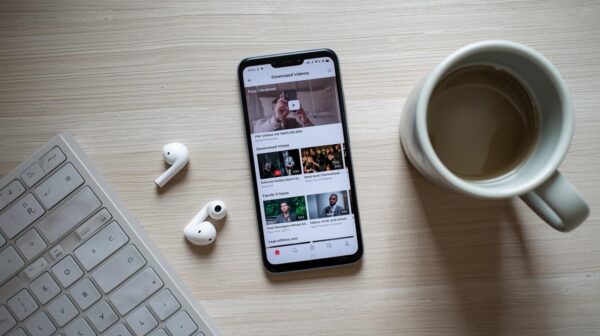
It supports subtitles for videos that are not in the English language, as well as a built-in browser and easy navigation. One of its most preferred qualities is the Smart Mode feature, which allows users to make their preferred settings and continuously download videos with those settings until it is changed.
Here’s how to use it:
- Install the app after downloading it from the official 4K Video Downloader site.
- Once you have the app, paste the URL of the YouTube video you want to download into the app.
- Choose the format and quality of your choice and click on download.
- Your files are downloaded and organized into folders where you can preview them or sort using filters.
- Once this is sorted, you can play and watch your videos online without an internet connection.
4. Snaptube
If you are wondering why Snaptube is popular among YouTube Android users, then you will find out soon. Snaptube helps you download your desired video from YouTube at a resolution of up to 4K quality. Aside from the MP4 video format, it also supports an MP3 audio format. It is fast, ad-free, and supplies background play.
So, how do you use Snaptube?
- Download Snaptube APK from its official site.
- Enable “Install unknown apps” in Android settings.
- Open the app and search inside or paste a URL.
- Tap the download arrow next to the desired result.
- Choose format (Video or Audio) and resolution.
- Tap Download. Files appear in the app or device storage.
5. New Pipe
This is one of the few YouTube downloader Android apps that blocks ads, offers background playback, and also has an enhanced privacy mode. It’s free and open-source. It’s an open-source application with features that utilize minimal resources, resulting in no battery drain. No login is required, and you can download in various formats and resolutions.
It’s important to know that the app is not available on the Google Play Store due to the fact that it does not rely on Google services to work. However, you can get it on F-Droid, an alternative app store for Android users. You can also check the NewPipe’s official website to download.
Here’s how to use it after downloading:
- Open the app on your phone and search for videos you want to download.
- Tap the download arrow just below the video’s playback.
- Choose whether you want to download it as an audio or video file.
- If you’re going for video, download it at the resolution of your choice, and the download will begin immediately.
- Add the video to the playlist for easy access after download.
6. YesTube
Looking for a lightweight YouTube video downloader for Android with a clean interface? Look no further, as Yes Tube offers that and more. It offers video or audio downloads, playlist downloads, and private vault functionality.
With YesTube, you can download videos in up to 4K resolution and MP3 files at a high bitrate. Likewise, the application comes with a built-in browser with auto-video detection. Additionally, it features a password-protected private folder to secure your files. However, you should know that Yes Tube doesn’t offer batch-download support and might sometimes be internet-dependent.
Here’s how to use a Yes Tube for YouTube video download:
- Download the APK via a legit site and avoid third-party sites.
- Install the APK and open YesTube.
- Browse via the in-app browser or paste a video link.
- YesTube automatically detects videos and displays a download icon.
- Select video or audio, choose resolution, and click on Download.
- Access downloads in the app's library.
7. InsTube
When it comes to versatility and security, InsTube is easily one of the top YouTube downloader Android apps, offering offline access to YouTube videos. Additionally, it supports over 50 platforms. It features fast downloads, regardless of the network you’re using. Your videos do not have to be blurry, as you can download your videos in HD or 4K resolution.
Likewise, InsTube supports various other formats, including MP3, WAV, M4A, and FLAC. It detects links and recognises the video you're trying to download, and it comes with a password-protected option. Regarding security, InsTube features a media manager and third-party security verification, so you can rest assured that your data is safe.
Here’s how to use Instube for your video download:
- Download InsTube APK from the official site.
- Enable installation from unknown sources.
- Launch InsTube and tap the YouTube icon or paste a video link.
- Tap the floating download button.
- Choose format and resolution (up to 4K).
- Tap Fast Download to monitor progress via the app interface.
- Completed files are accessible in the downloads list or vault.
8. iTube Go
If you’re the type to download full playlists or high-resolution videos, they don’t sleep on iTube Go. This app doesn’t just work for YouTube; it supports other platforms, including Instagram, Soundcloud, Facebook, and TikTok. iTube Go has a resolution up to 8K as well as audio format conversions.
Here’s how to use iTube Go:
- Download the app from the official iTubeGo website.
- Enable “Install Unknown Apps” in your Android settings.
- Open the app and paste the URL of the video you want to download
- Select your preferred format (e.g., MP4, MP3) and resolution.
- Tap “Download” and save directly to your phone or SD card.
9. Videoder
Not only is Videoder fast, but it also gives you the option of customizing the app to your use. With this video downloader, you can download your video in any format you prefer, and this includes MP4, MP3, and AVI. Videoder supports high-quality downloads, so you’re sure to get clean videos rather than blurry ones. Another top feature of this app is its ability to support multiple platforms. With this Android app, you can download videos in batches. Overall, Videoder is a versatile platform for saving and converting video content, allowing users to have control over their downloaded content.
Here’s how to Use Videoder:
- Visit Videoder's official site and install the APK.
- Enable installation from unknown sources.
- Use the in-app browser or paste your link.
- Choose your preferred format and resolution options before downloading.
- Tap the download arrow or auto-pop-up suggestion.
- Access your files from the download section.
10. Y2Mate
Y2Mate is an Android app that provides a classic web-based solution for people who want fast, simple downloads. Its simple interface and lack of membership requirements make it a popular choice for converting YouTube videos to MP3 or MP4. However, you may have to deal with ad-pops, so it’s essential to use reliable and safe sources.
To use Y2Mate, use the following steps:
- Go to Y2Mate's official website or open the app after downloading from the Google Play Store.
- Copy and paste the YouTube URL into the search field.
- Select the resolution and format you prefer.
- Once you’ve selected “Download,” wait for the process to finish.
- To view it offline, save the file to your device.
11. PureTuber
Using PureTuber is one of the ways to download videos for offline viewing or sharing from services like YouTube. With this YouTube downloader Android app, you can save videos and even music to watch and listen to without an internet connection. PureTuber has a similar interface to YouTube. And aside from being a YouTube video downloader, it can also act as an ad blocker, so if you are tired of YouTube ads, then you might want to consider PureTuber.
Here’s how to Use PureTuber:
- Download PureTuber APK from its official website.
- Allow installation from unknown sources.
- Open the app and browse or sign in to your YouTube account.
- Tap the download icon beneath any video.
- Select resolution and format.
- Watch videos ad-free, in the background, or via picture-in-picture mode.
12. YouTube Go
Developed by Google, YouTube Go is a great option for people with limited storage space or data. This YouTube video downloader provides a lighter, more data-efficient version of the standard YouTube app for Android users. YouTube Go allows users to preview videos before downloading, a rare feature among most video downloading apps. With YouTube Go, you can choose file sizes to save space while sharing videos offline without using data. This app is ideal for Android users in areas with slow internet connections.
To use YouTube Go, use the following steps:
- Download YouTube Go from the Google Play Store.
- Open the app and browse trending or recommended videos.
- Tap a video to preview it or select “Download.”
- Choose your preferred quality (basic, standard, or high).
- Tap “Download” to save it for offline viewing.
- Use the built-in share feature to send videos without an internet connection.
Things To Note Before Using These YouTube Video Downloaders
While these apps are super useful, most of them don’t usually meet YouTube’s guidelines, as they are most of the time against YouTube’s terms of service. If you still want to go ahead with their use, for safety concerns, here are things you should note:
- Get any of these YouTube video downloaders from official or trusted project websites; don’t use a third-party app.
- Take your time to review the app requests; if they seem excessive to you, consider skipping the download and exploring other apps.
- You should be aware that YouTube’s Terms of Service prohibit downloading content without permission. If you must download, opt for non-copyrighted or your own uploaded videos.
- Be smart about your downloads, avoid shady applications, and enjoy your video content the right way.
- Always use these tools ethically, such as for personal use, offline learning, or saving your own content.
Conclusion
If you're an Android user and want to watch your favorite YouTube videos offline while maintaining high video quality, these YouTube Video Downloaders will provide just that. From ad-blocking features in PureTuber to high-quality downloads with iTubeGo, there’s something here for every user.