


iPhone X is the latest smartphone from Apple. While many users and the public have praised the iPhone X for bringing in high-quality cameras, it is worth mentioning that these device cameras can also be used as a flashlight. This feature makes it more fun taking pictures in lowly light areas on iPhone X.
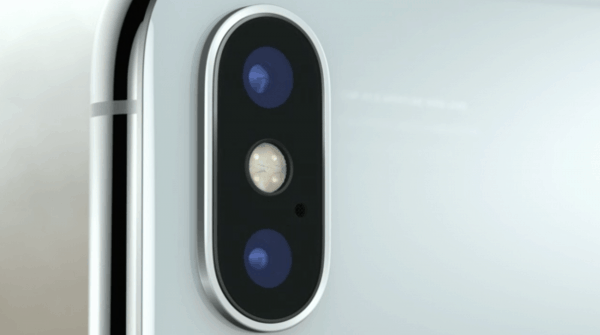
Checking on previous models of Apple iPhone, there was only one LED flash. With the new models such as the iPhone X, you will come across dual LED flash. This dual LED flash feature has been named True Tone which provides a strong camera flash when you take pictures or videos on your iPhone X.
Read on to learn how to use the flash on your iPhone X to get better quality pictures and videos.
How to Set the Flash on iPhone X Camera
- Ensure you have your iPhone X powered on
- On your Home screen, launch the Camera app
- In the camera app, tap on the Flash button
- Switch the flash button ON
- Change the flash button to auto so as to automatically turn on the flash depending on the surrounding lighting conditions











sir
How to upgrade Moto G4 Plus in Android Oreo . pl. inform me