
Budgeting is fundamental to financial wellness, but so many people find it challenging. Tracking expenses, developing savings goals, and keeping up with bills might previously have meant saving endless piles of receipts and/or juggling cumbersome spreadsheets. Now, thanks to technology, that can all change. Apps for budgeting deliver automation, simplicity, and real-time visibility right to your pocket to conveniently manage your money, any time or place.
But the best budgeting apps provide more than where your money is spent. They help you prioritize, avoid overspending, and align your finances to your life goals. We will highlight the apps for budgeting available in this post. Each budgeting app is geared towards different financial styles, whether that means detailed budgeting plans or something easier to manage.
15 Best Apps for Budgeting
1. Credit Karma
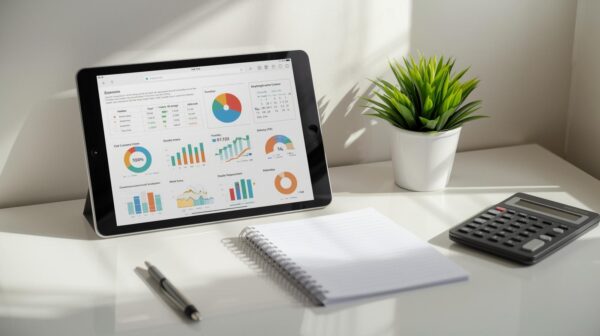
Credit Karma is not only a free credit score tracker; it also includes planning tools that allow you to monitor and keep track of your spending. The app categorizes your spending automatically, which provides you with a more visual representation of where your money is going. You can set budgets across different categories of expenditures, such as dining, groceries, or entertainment, and track your spending across each category in real-time.
One of the cool features is that Credit Karma provides personalized financial insights based on your spending habits and credit profile. Credit Karma will provide suggestions on how to save more money, pay down your debt faster, and get your personal credit health back in order. For instance, they will talk to you about refinancing options, lower-interest credit cards, or savings accounts geared toward you having success.
2. YNAB (You Need a Budget)
YNAB employs a completely different strategy than traditional tracking apps, which just note where your money is going. This is called zero-based budgeting, where every dollar of income is assigned a job or category – rent, groceries, savings, debt repayment, etc. This allows you to have control of your money rather than responding to overspending after it has already occurred.
YNAB places a large emphasis on education which is one of its strengths. The app itself provides tools for tracking your expenses but YNAB also provides additional resources such as video tutorials, live workshops, and written blogs to assist users in creating healthy financial behavior.
3. EveryDollar
Dave Ramsey’s principles and Baby Steps plan are what EveryDollar is built on. Like YNAB, it uses the zero-based budget method of assigning each dollar of your income a job. This means you will have to think deliberately about your financial priorities and make sure your spending is aligned with your financial priorities
With the free version of EveryDollar, you will have to manually input all of your expenses, and the paid version (EveryDollar Plus) is linked to your accounts to automatically track them. Both versions have an easy-to-use, plug-in template for each of the common budget categories, so setting it up is quick and easy.
Because EveryDollar is so closely aligned with the Ramsey financial philosophy, it remains one of the more popular apps with people on debt repayment plans and diligent saving programs. It’s not just a budgeting app; it is a way of building sustainable financial capacity.
4. Wally
Wally is an app with a minimalist concept that focuses entirely on knowing your spending habits. Rather than overwhelming you with rules and features, it makes logging purchases easy. You can enter purchases, set savings goals, and review reports on where your money went.
What distinguishes Wally is its flexibility. You can track multiple currencies, create categories that best fit your spending patterns, and scan receipts for easy data entry. For people who travel, work as freelancers, or need a budgeting tool modified for a unique situation, Wally is a very good option.
Wally’s strength is describing habits without distraction. Wally helps a user understand their habits and be aware of their decisions about spending, and why they are spending how they actually do—a very good way to get a user to think of better decisions, and consistent saving.
5. Spendee
Spendee is recognizable for its cheerful, visual design and intuitive aspects. You can set up shared wallets with friends or family, which is particularly helpful for managing expenses in a group setting, such as on vacation or household costs.
The app can also connect to your bank accounts for automatic tracking. However, it also allows for manual entry for cash transactions. This allows for full visibility of your financial situation when using both card and cash.
Spendee has colorful charts and simple insights, therefore budgeting doesn’t feel as scary as it may with others! For visual learners or those wanting some more collaborative features, Spendee is an excellent option.
6. Simplifi by Quicken
Quicken Simplifi has become one of the most downloaded apps for budgeting on Google Play and the Apple App Store. Built to be simple for beginners, it takes out the guesswork with dashboards that show users exactly how much they can safely spend. Forget features like budgeting and allocating the best financial apps.
From their reviews, Simplifi is consistently praised for its design and ease of use, and is a mobile banking app that can be leveraged for anyone that that finds spreadsheets or sets of rules daunting. For anyone that is just starting their personal finance journey, Quicken Simplifi is one of the best easy to use budgeting apps.
7. Tiller
For spreadsheet lovers, Tiller connects traditional tools like Google Sheets or Microsoft Excel to modern personal finance applications. Tiller automates expense tracking by pulling in data from bank accounts and credit cards into your spreadsheets.
Many of the older and newer apps on the market take a very rigid approach to income, making Tiller great for freelancers, small business owners, or anyone else needing to be flexible with their budgeting on particular months.
8. Quicken
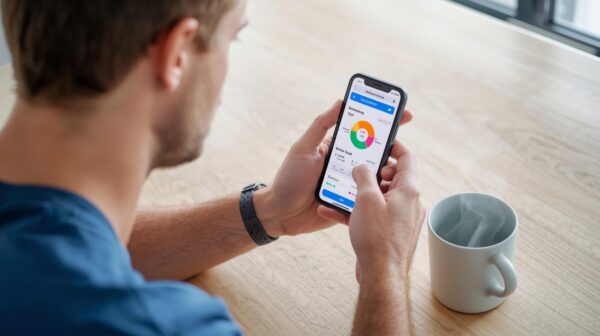
As opposed to lightweight budgeting tools, Quicken provides users with a much deeper category-based budgeting opportunity, tracking expenses efficiently, and investment management service. Its net worth tracker and investment planning modules are great tools for those who have complicated finances.
Although you feel you are using a service that is more traditional and archaic in the same way as mobile banking apps, Quicken offers depth and flexibility as one of the best budgeting software options for desktop users who crave control over their financial wellness.
9. PocketGuard
PocketGuard is designed to be easy to use and to provide peace of mind. You link your bank accounts and credit cards, and it will then automatically calculate how much money you have left to spend after paying bills, saving for savings goals, and other obligations. This number, the “In My Pocket” amount, gives you the confidence to easily know what you can spend comfortably without jeopardizing your financial obligations.
The app additionally has a feature that helps users uncover recurring subscriptions that they may have forgotten about, including streaming services or unused gym memberships. PocketGuard can expose these hidden expenses to help save money and simplify your monthly budget. The app’s clean interface allows beginner budgeters to start managing their budget without feeling bogged down by graphs and terminology.
PocketGuard is great for individuals who want some type of budgeting structure in their lives, and maybe aspiring to budget more carefully at some point as it’s hard to do that, but they also find it overwhelming to use a detailed budgeting tool with line items, categories, etc. PocketGuard is like having a financial coach relatively unobtrusively keeping you from going overboard.
10. Honeydue
Honeydue has been built with couples who wish to manage their finances together in mind. Partners can join accounts, track expenditures, and share a budget while maintaining the ability to control what information is shared. For example, a partner can indicate they are willing to share the account balance, but nothing else.
It also includes reminders for bills, along with a chat function that allows couples to discuss money in the app. This minimizes being misunderstood, which can often happen when planning around finances, and allows couples to collaborate on financial decisions.
11. Empower
Personal Capital, or Empower, straddles the line between budget tracking and managing your wealth. In addition to the normal features you would expect in a budgeting app, like tracking your spending and setting future goals, you also have access to ways to track your investments. This is a good choice for those who want to manage both their day-to-day purchases and think about the long game.
You have options like tracking your net worth, retirement planning calculators, and portfolio analysis. You can view your investment performance aligned with your regular spending to help you make smarter financial choices.
Personal Capital is headed this direction if you are building your assets and want to see your entire financial life. It is a solid option if you are considering spending money today and if and how it will build your wealth for the future and ultimately your retirement.
12. Rocket Money
Rocket Money, formerly known as Truebill, is the best budgeting app if your goal is related to managing subscriptions. The app will recognize when you have a recurring charge, find ways to negotiate a bill, and even cancel any subscriptions you are no longer using, helping users save money automatically.
Rocket Money is more than a subscription manager. The app includes your cash flow, a credit score tracker, and the ability to set goals. The automated features together with the drawback of keeping users accountable for their spending will help users maintain financial stability, find wasteful expenses, and keep them on track when it comes to reaching debt pay down or savings goals.
13. Goodbudget
Goodbudget updates the traditional envelope method of budgeting. Rather than putting your physical cash into an envelope for everything you spend on, you create digital envelopes. This will allow you to determine what you want to spend on necessities such as groceries or your utilities, and then, you track your expenditures within the envelope limits.
Unlike other apps, Goodbudget does not automatically sync with your accounts. You must manually input your spending. On the surface, this seems like a chore; however, several users have said they actually enjoy it because it forces you to engage in your budgeting process. When you input your transactions, you are being engaged actively in your budgets and spending.
Goodbudget works well as a family tracing tool, which is great because couples can share a single account together and be actively involved in seeing what the plan ahead in budgeting looks like. Goodbudget is a fun tool to use if you want to have an interactive budget while it can also work well for families.
14. Fudget
Fudget is created for users who want a straightforward way to keep track of their money without advanced features or complicated dashboards. Unlike other budgeting apps that are directly connected to bank accounts, Fudget works on manual entry. You determine your income and expenses, allowing you to have greater control over your finances. This appeals to users who prefer to be more hands on with their finances, or wary of linking their financial records to apps.
This app is very flexible and does not force you into a pre-determined categorization. You can create your own list for expenses, savings goals, or bills that recur regularly. To boot, its clean layout makes updating easy, whether that be for groceries, freelance payments, or a night out. This valuable feature also lends itself to freelancers, gig workers, or any worker who has an irregular income.
Another reason people gravitate towards Fudget, is because of it’s simplicity and reduction of budgeting to it’s basic principles. There are no ads, or charts, or complex principles to learn. It is simply a digital ledger that can be carried in your pocket.
15. Zeta
Zeta is designed with couples in mind for a more collaborative approach to money management. A lot of budgeting apps are inherently designed for individuals, while Zeta views financial planning as often involving two people; therefore, the app allows couples to manage joint and individual finances in one place, seeing their entire budget, household and personal budgets without losing track of their own spending.
Another major feature of the app is the ability to split expenses. Whether it is rent, utilities, or grocery shopping costs, couples can decide how to split up a bill, budgeting for how much each person is taking on. This adds clarity to managing money and provides clarity in money conversations. In addition, the app helps with bills by sending reminders so bills aren’t missed. Couples can even set savings goals together, for example, a home, a wedding, or something in preparation for a family.
One other defining appeal of Zeta is how flexible it is; couples can decide how much financial information to share with each other. Some couples may want complete transparency while others may decide it is okay to keep certain accounts private.
Frequently Asked Questions About Personal finance
1. What is a budgeting app used for?
Basic budgeting apps help you track your expenses and keep track of your income. Many budgeting apps also include additional services such as tracking your investments, your bills, your savings, and/or your credit score.
2. How much do budgeting apps cost?
Many budgeting apps are free, have a free version, or have a free trial period before you proceed to register for your free trial. Depending on the features offered budgeting apps, can cost from $1/month to $15/month after the free trial period or if you decide to upgrade from the free version.
3. Does apps for budgeting software cost money?
You can get budgeting software for free. If you do not want to spend money on budgeting software, there are many free budgeting tools available. You may, however, need to navigate through in-app advertisements or limited functionality.
4. What is a zero-based budgeting app?
With a zero-based budgeting app, you are assigning every dollar earned to a specific purpose, whether it’s saving money or paying bills. There is no dollar that is unemployed.
Conclusion
The best apps for budgeting will do much more than track your expenses. They will include automation, real-time data, and visual dashboards that promote user interaction and allow them to achieve financial goals and enhance financial wellness. No matter if you focus on zero-based apps for budgeting, envelope budgets, subscription management, or investment dashboards, there is an app to guide you along your financial journey.
